.svg)
Your data, your tools, your terms. Blue Triangle's real user monitoring data (and the Conversion Rate Curve that turns it into revenue impact) now works inside the tools you already use. Ask a question, get an answer.
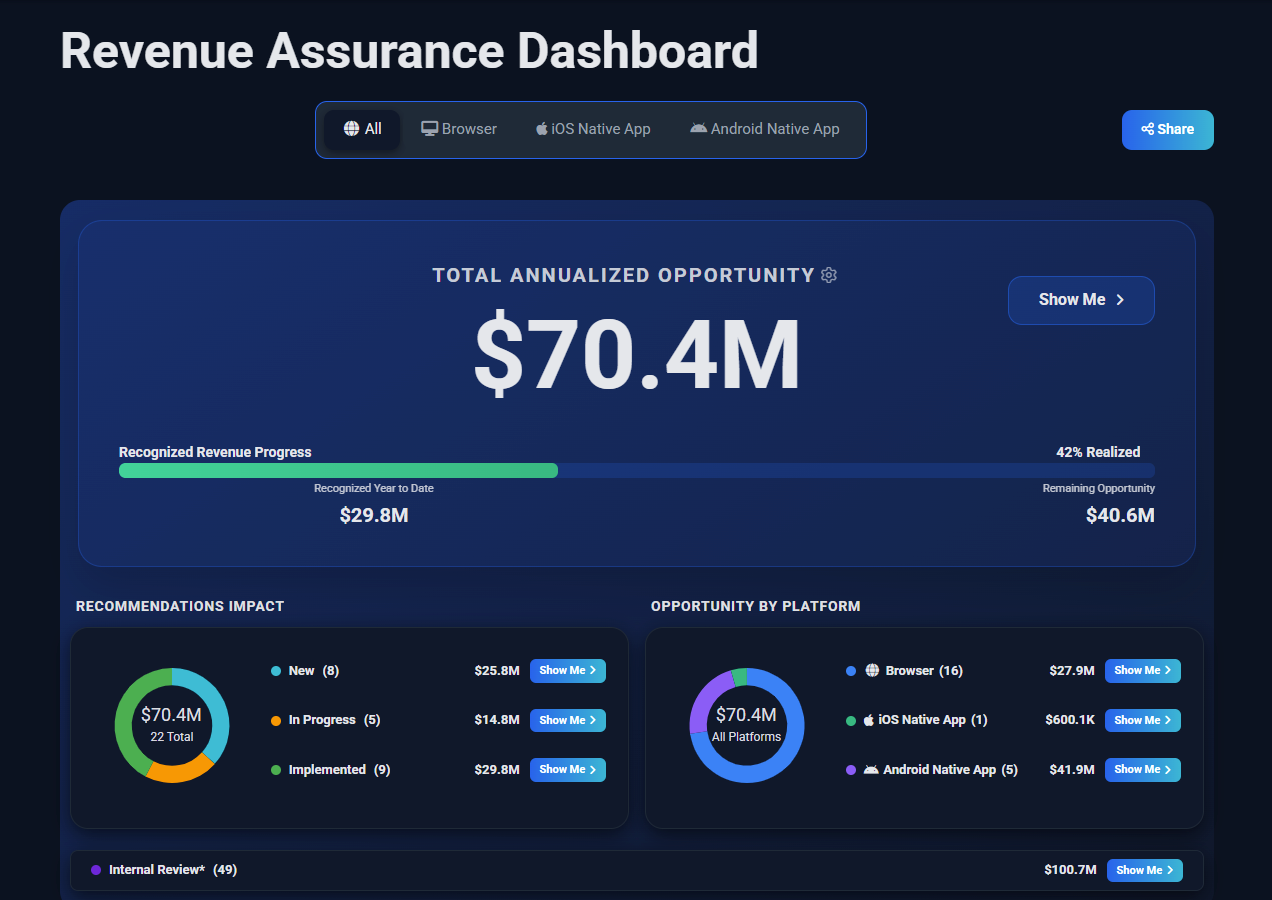
Blue Triangle is known for its unique real user monitoring (RUM) data, and for the insight it gives you into how that data affects your business goals. Earlier we introduced Revenue Assurance, which distills all of it into a clear set of user experience improvements and the actions to make them happen. Blue Triangle's MCP is the next step: bringing your data into your AI environment, so engaging with it is as simple as asking.
Three things make that work.
-
It's simple: Ask in plain language and get an answer, with no dashboard to learn, no report to build and no ticket to file.
- It's integrated: Blue Triangle lives inside Claude, ChatGPT, Cursor or whichever assistant your team already uses, and delivers to your inbox, Slack, Teams or Jira.
- It's extensible: Your asasitant can query Blue Triangle alongside your analytics, APM and customer journey tools, so the answer spans your whole stack instead of stopping at our data, and integrates into your existing workflows.
What is MCP, and why does it matter here?
MCP is an open standard that lets AI assistants securely query live data from outside platforms.
Instead of logging in, building a report, and exporting it, you type a question in plain language. Your AI assistant pulls the answer straight from your Blue Triangle data.
What can you ask Blue Triangle MCP?
-
Start with something simple:
“Chart the sessions, revenue, and onload time for the top 5 visited pages last week. X-axis should be the days and you should average the pages. What insight and call to action can you share?”

Sessions, revenue and onload time indexed to Monday = 100, with the insight and recommended action generated alongside the chart.
Eleven seconds later you have the chart and the read: Traffic climbing, onload flat, but sessions growing faster than revenue by Sunday. Late-week traffic is converting less efficiently, and it's worth checking what changed in the channel mix.
You didn't ask for that last part. You asked what it means, and got an answer you can act on.
Or ask for something you'd normally hand to an analyst, such as a full Core Web Vitals report:
“Create a weekly PDF report. Show Onload, INP, CLS, and LCP as averages across the 5 most-viewed pages, each in its own chart, at P75. Compare last week to the week before on every chart. Title it ‘Week over Week Report’ with both date ranges underneath. Set each Y-axis to the relevant data range. Don't fix the origin at zero. Shade the Google threshold bands behind the INP, LCP, and CLS charts. Add a table at the bottom with all metrics for all pages: current week, previous week, and percent change. Color the values by Google threshold, and color any change over 5% green for improvement or red for degradation.”

The full report, generated from that single prompt: threshold bands, zoomed Y-axes and a color-coded week-over-week table.
That's one prompt. Ask for it once, then have it land in your inbox, your Slack channel, or a Jira ticket every Monday morning.
Built for product, marketing and engineering teams
- Product managers ask what changed and what it's worth, in plain language, in Slack.
- Marketing teams pull performance and revenue data into weekly reporting without waiting on anyone.
- Developers query Blue Triangle from Cursor or their assistant of choice, right next to the code they're shipping.
Everyone gets the same engine behind Revenue Assurance: our Conversion Rate Curve methodology, refined over a decade and more than 5 trillion transactions.
Combine Blue Triangle's data with your analystics and APM data
Because your assistant can hold more than one connection at a time, Blue Triangle data sits alongside your analytics, your APM and your customer journey tools. Tie a server slowdown flagged in your APM to the sessions and revenue it actually cost. You get one answer instead of four exports.
How to connect Blue Triangle to your AI assistant
Blue Triangle customers can connect in a few minutes:
- Claude — one-click OAuth connector, no config file needed
- Cursor, Windsurf, Antigravity, and custom clients — copy the server configuration and go
Not a customer yet? See it live.
Frequently Asked Questions
Which AI asstants can I connect to Blue Triangle via MCP?
Claude, Cursor, Windsurf, Antigravity, Gemini Enterprise, Gemini CLI and any MCP-Compatible client.
Do I need to be technical to use Blue Triangle's MCP access?
No. You can ask plain-language questions, such as "What were yesterday's top anomalies?" and get an answer without navigating the platform's full feature set. No query language, no dashboard building.
Can I scheculed recurring reports?
Yes. Define the report once in a prompt, then have your assistant deliver it on a schedule to your inbox, Slack, Teams, or Jira.
Does this replace the Blue Triangle platform?
No. The full platform, including Revenue Assurance and all existing reporting and functionality, remains available. MCP is an additional way to reach the data, not a replacement for it, for the people and moments where a conversation beats a dashboard.
Can I combine Blue Triangle data with data from other tools?
Yes. Because MCP access works through your AI assistant, you can query Blue Triangle alongside other connected sources — analytics platforms, APM tools and customer journey platforms — in the same conversation.
How do I set it up?
Existing customers can follow the step-by-step setup guide: Using the Blue Triangle MCP in Claude.