
You can now pull Blue Triangle's Revenue Assurance recommendations into your AI assistant through MCP (Model Context Protocol). Once your assistant is connected, it can list, filter, and open any recommendation you can see in the portal, along with its revenue opportunity, effort, status, and fix. You can also ask it to lay them out the way you work: a dashboard, a sortable table, or a page for a single recommendation.
Each recommendation spells out what's costing you revenue, roughly how much, and how to fix it.
Recommendations are now part of the Blue Triangle MCP
Blue Triangle already works with AI assistants through MCP, the open standard that lets an assistant connect to the tools and data a team already uses. So far, that has meant performance and revenue data. This release adds Revenue Assurance recommendations.
Each recommendation spells out what's costing you revenue, roughly how much, and how to fix it. Your assistant can now read all of that, including:
- the full list of recommendations, with status, platform, effort, revenue opportunity and any linked Jira ticket
- the detail behind each one: Purpose, Goal, Action, Retrospective and History
Your assistant uses the same role-based visibility as the portal, so it only sees the recommendations you would see if you logged in yourself.
For now, access is read-only. Status changes and decisions still happen in Blue Triangle.
What it looks like in practice
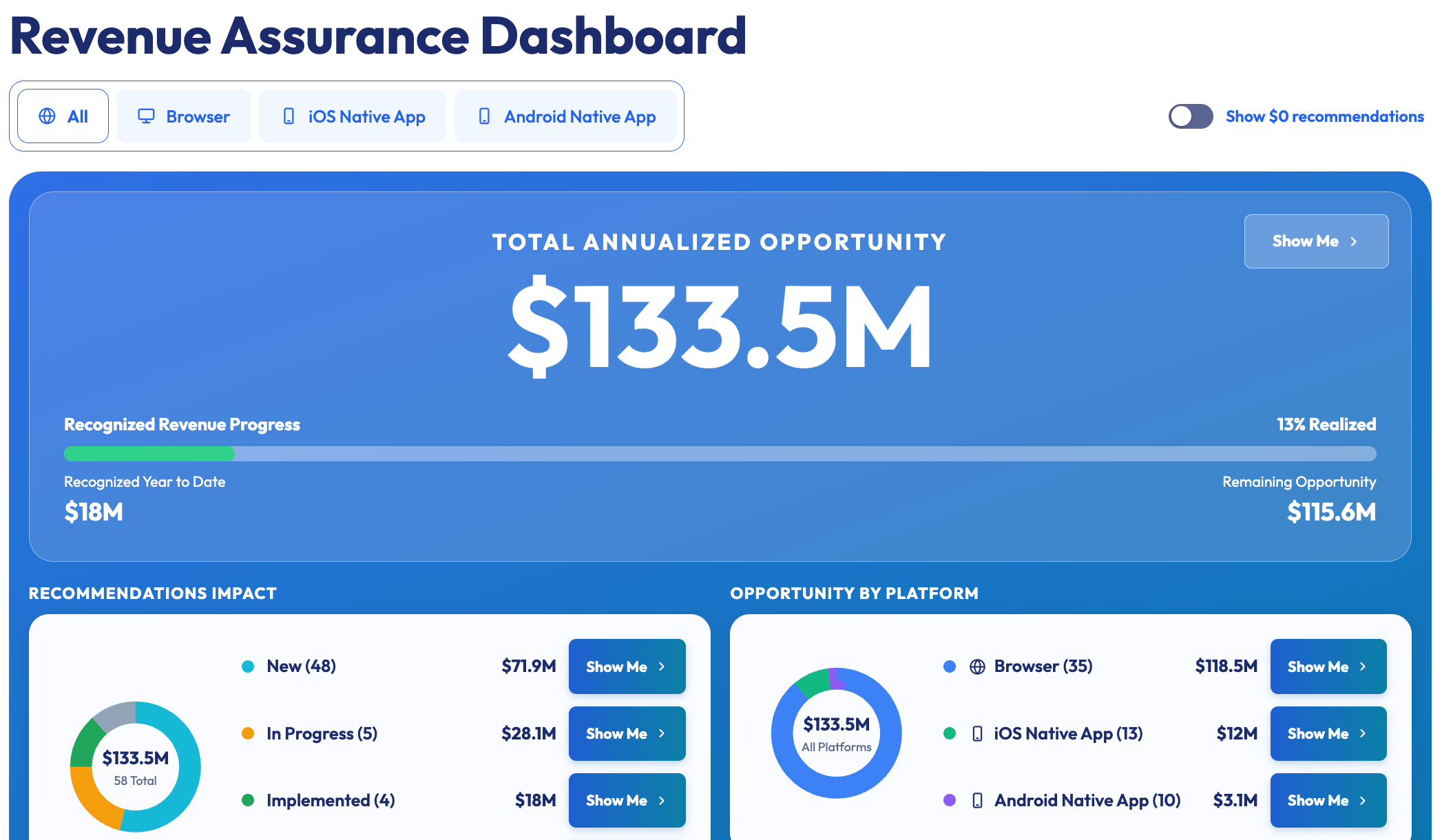
To test this, we asked an AI assistant to build a Revenue Assurance experience using nothing but data from the Blue Triangle MCP. We didn't export anything or open a spreadsheet. The assistant pulled the recommendations and built four linked views.
The first view is a dashboard. It shows how much revenue is at stake and how much has already been recovered. In this example, the annualized opportunity is $133.5M, and 13% of it has been realized. From there, you can decide where to look next: the 48 new recommendations, or Browser, the platform with the most at stake at $118.5M.
The second view is a table of every recommendation, with effort, status, platform, and Jira link side by side. This is where you pick what to work on. Filter to one platform, sort by opportunity, and star the ones you want to keep an eye on.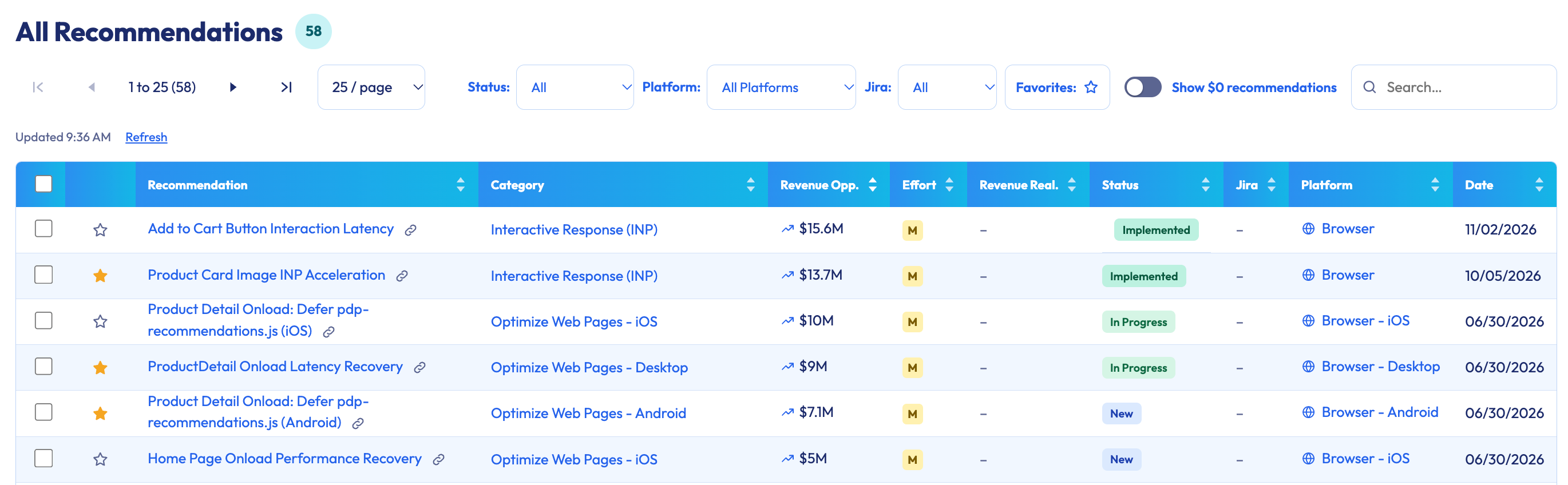
From the table, you can open a category. Categories group related fixes and rank them by revenue. Optimize Web Pages - Desktop accounts for $23.2M, and $9M of that comes from one recommendation that's already in progress. The page shows which fix should go first and whether someone has already started on it.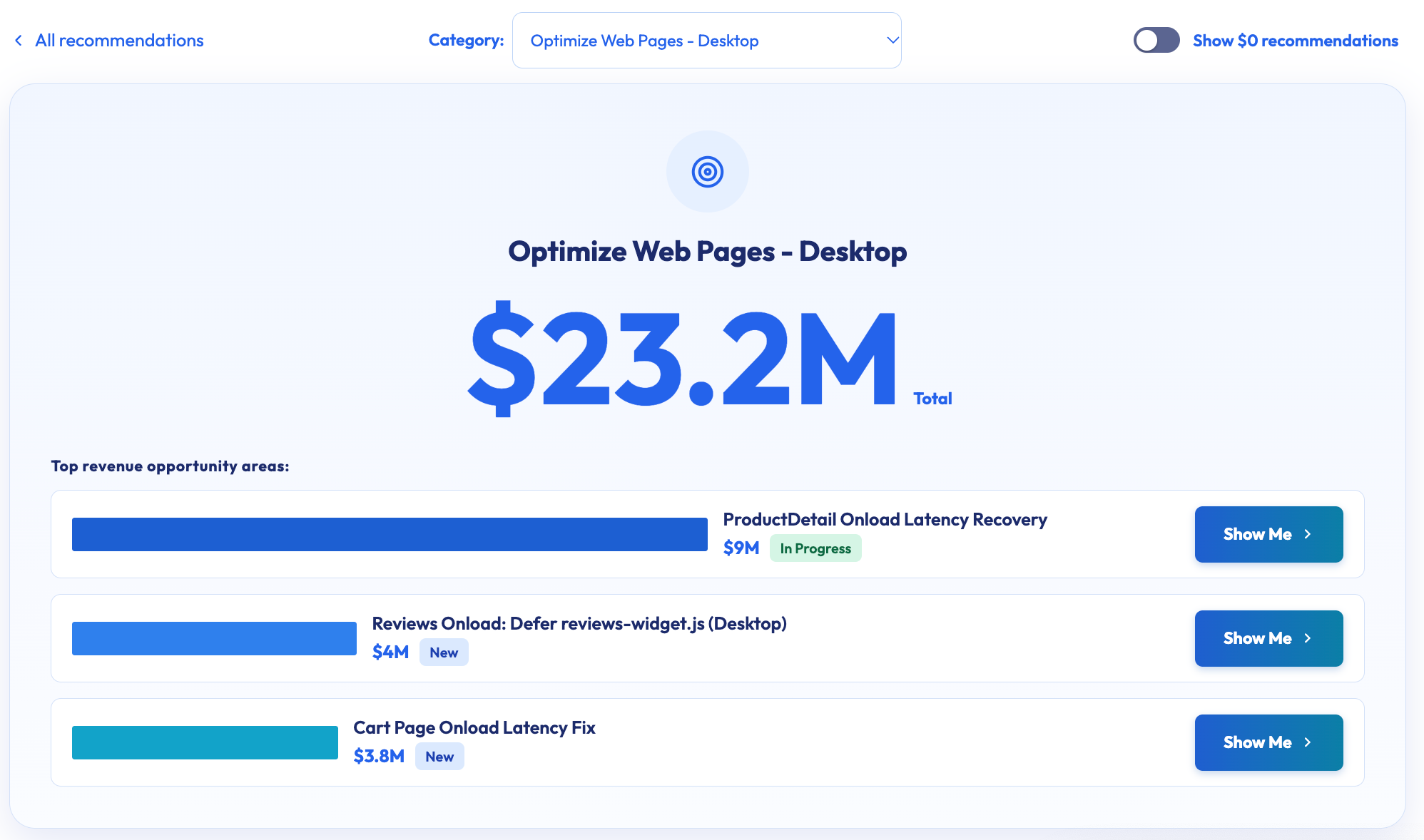
The last view is a single recommendation, and this is where you decide whether the work is worth taking on. It covers the cause, the expected recovery ($9.0M for this one), the effort (M), and what engineering would need to change.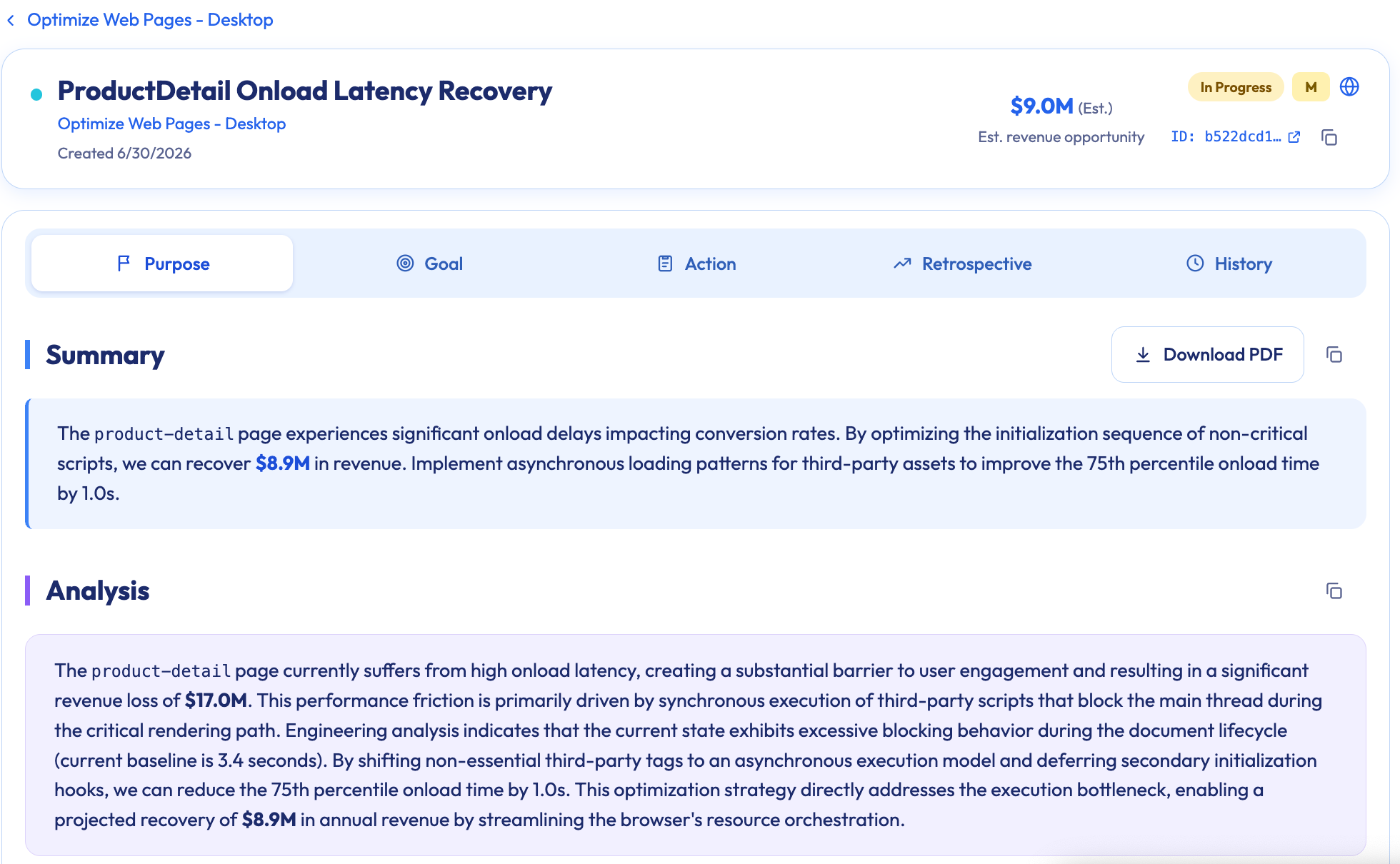
Every view links back to the recommendation in the Blue Triangle portal, so the source is always one click away.
You don't have to use these four pages. The assistant built them from live data in a few minutes because that's what we asked for. If you'd rather see only iOS recommendations with a Jira ticket, ranked by opportunity, just ask for that instead.

Things to ask your AI assistant about recommendations
- "Show me my open recommendations ranked by revenue opportunity."
- "Which recommendations have no Jira ticket yet?"
- "Render the top recommendation as a page my engineers can act on."
- "Build a Revenue Assurance dashboard I can share in Monday's meeting."
- "Combine this recommendation with our APM data and tell me what it adds."
How to connect Blue Triangle recommendations to your AI assistant
- Connect your AI assistant to Blue Triangle through MCP.
- Ask for your open recommendations.
- Pick the one with the largest opportunity and ask for the detail page.
- Ship the fix, then let Blue Triangle measure the result.
Setup details are in the Blue Triangle Help Center.

Frequently asked questions
What is MCP? MCP (Model Context Protocol) is an open standard for connecting AI assistants to tools and data sources. Blue Triangle's MCP server gives your assistant access to your performance data and your Revenue Assurance recommendations.
What is a Revenue Assurance recommendation? It's a specific fix we've found using real user data. Each one comes with an estimated revenue opportunity, the cause, the effort involved, and the steps to fix it.
Which recommendations can my assistant see? The same ones you can see in the Blue Triangle portal, because the MCP uses the portal's role-based visibility.
Can the assistant change a recommendation? Not yet. Recommendation access through MCP is read-only for now, and write access is on the way.
Do I have to use the pages shown in the demo? No. They're just one example of what an assistant can build from the data. Ask for any view, summary, or report your team needs.
How do I connect Blue Triangle to my AI assistant? Add the Blue Triangle MCP server to any assistant that supports MCP, then sign in and pick your site. Step-by-step setup instructions are in the Blue Triangle Help Center.